MetroTech
B2B / iOS / MWeb
Project Overview
Role: Lead UX and Strategist
Timeline: Initial 12 months MVP - Ongoing UX
Team: Senior Executives, Product Manager, 2 Engineers
Impact: Successfully transitioned a team of ten admins into a custom management system to coordinate over 100 installations project weekly.
Summary
Metro Tech is a cable wiring company that services both residential and commercial properties. They faced challenges in managing their projects efficiently. My role was to develop a fully customized application that would enable them to manage, track, and assign projects on a daily basis.
Solutions applied:
User Interface Design
User Experience Design
User Research & User Flows
Wireframing & Architecture
Web and mobile design
Design System built on Figma

The Challenge
Problem Statement:
Metro Tech, a cable wiring company serving both residential and commercial properties, encountered operational challenges that affected its ability to manage projects efficiently. As the volume and complexity of projects increased, the lack of a centralized system created inefficiencies in daily coordination and oversight. To improve workflow and productivity, there was a clear need for a structured, purpose-built solution.
Key Challenges:
No centralized system to manage and monitor ongoing projects
Difficulty tracking project progress in real time
Inefficient daily task assignment and team coordination
Limited visibility across residential and commercial job sites
Risk of delays due to manual or fragmented processes
Need for a fully customized application tailored to operational workflows

Workflow & Architecture
The Foundation
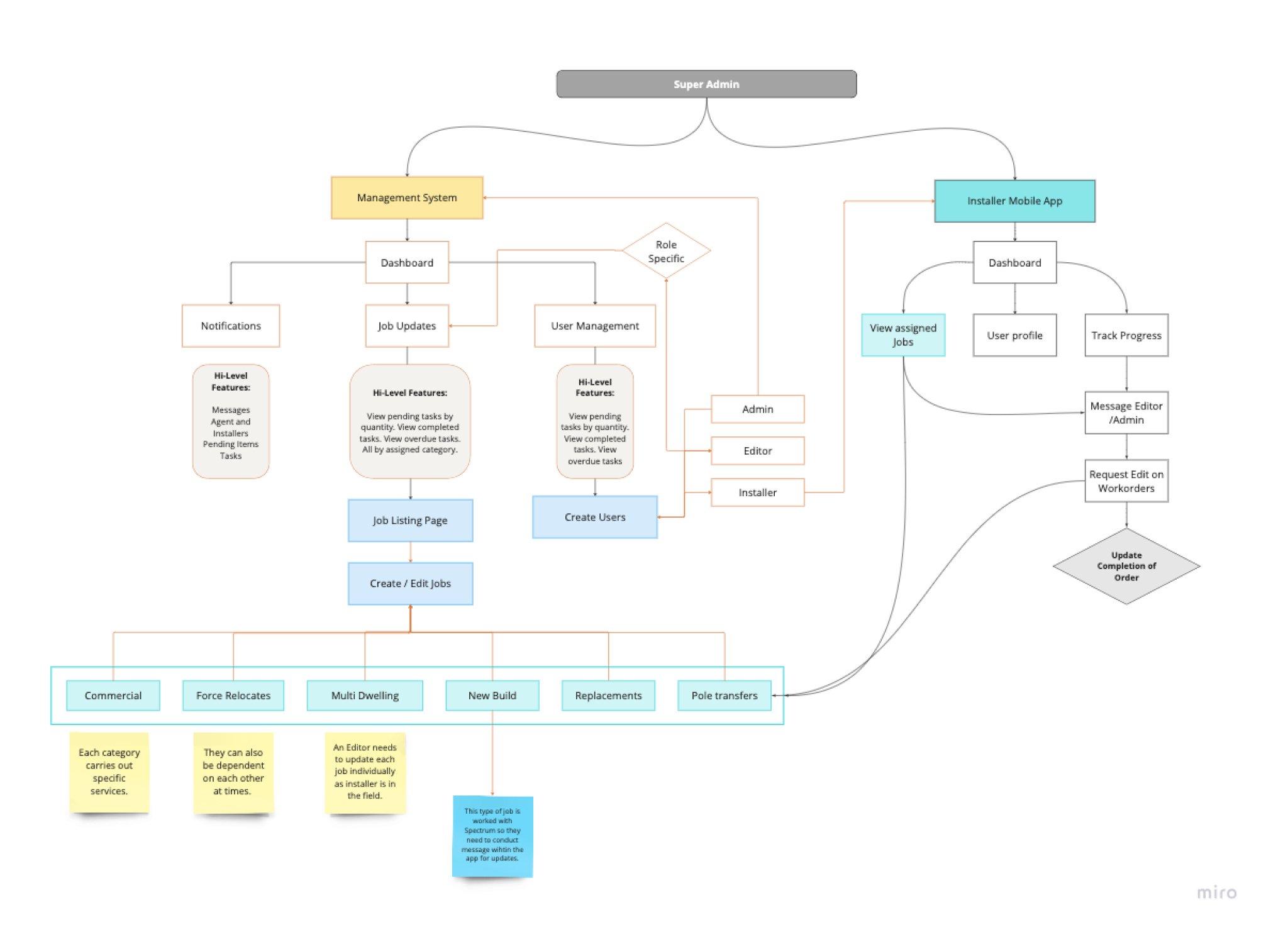
Compiling internal interviews, collecting existing documentation and creating personas helped in creating the overall flow. My mission was to structure the overall project and focus on users and navigation.
Research was conducted to evaluate logistical and user management applications in comparison with existing tools such as Excel and Google Sheets. The goal was to assess whether a custom-built system could better address user needs and improve efficiency.
Key Points:
Users have relied on Excel for project management for the past decade.
This long-term reliance created resistance to adopting a new system.
Shifting the ingrained mindset required strategic change management.
Developing and presenting prototypes helped demonstrate the benefits of the new system.
Prototypes played a key role in educating users and easing the transition.
The final solution was a custom-built system tailored specifically to user needs.
Wireframing
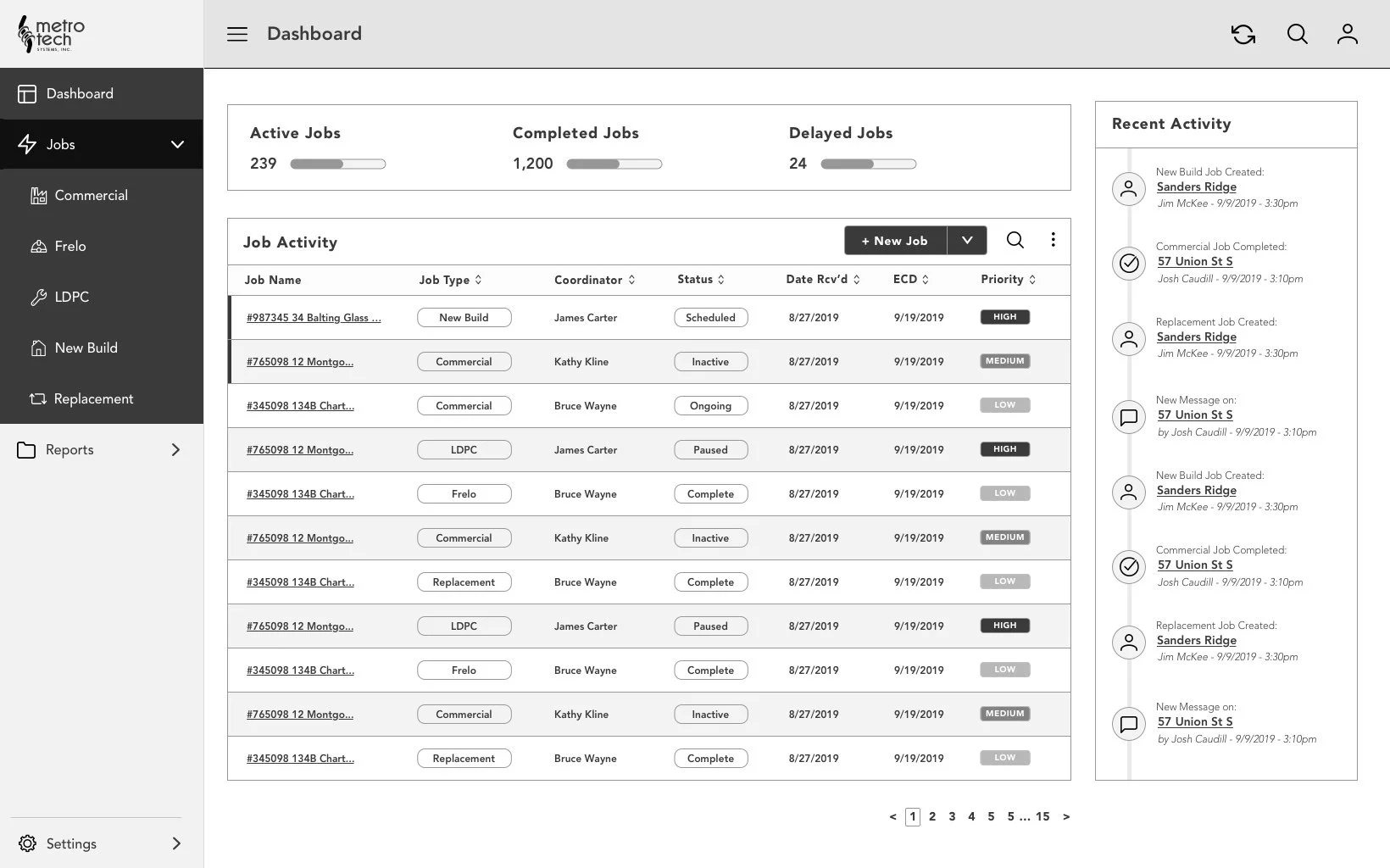
Once a clear information architecture was established, we progressed to wireframing to define screen layouts and user navigation paths. At this stage, the emphasis was placed on functionality and usability rather than visual design. Using low-fidelity wireframes allowed us to rapidly explore ideas, validate user flows, and uncover potential usability issues early in the process.
Key benefits of this approach included:
Defining clear screen structures and navigation patterns
Focusing on usability and functionality before visual refinement
Rapidly sketching and iterating on multiple user flows
Identifying and resolving potential issues early
Encouraging efficient team collaboration and feedback
Making informed design decisions without investing time in detailed visuals


UI Design
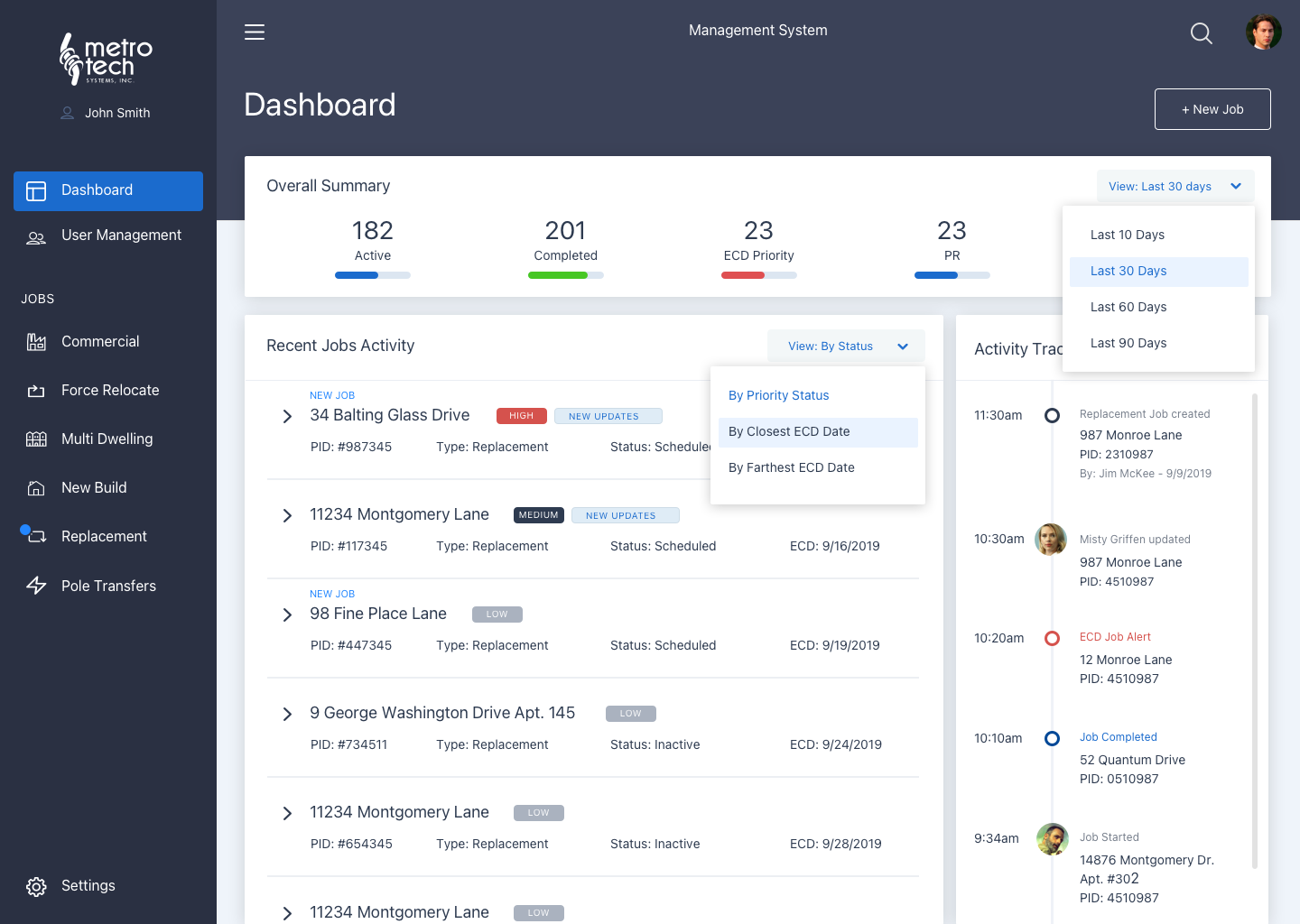
The primary goal of the user interface design for Metro Tech was to create a visually engaging, intuitive, and user-friendly experience that reflects the brand’s identity while allowing users to easily access key content and services. The design balances visual consistency with usability to support clarity, trust, and engagement across the platform.
Key UX priorities included:
Aligning the interface with Metro Tech’s brand identity through consistent color, typography, and layout
Reinforcing brand recognition and user trust
Designing clear, intuitive navigation for effortless access to information
Structuring content logically to reduce cognitive load
Using clear visual cues and responsive interactions to guide users
Ensuring a seamless, fully responsive experience across devices and screen sizes